

Microsoft’s Copilot Tasks marks a major shift in AI productivity. Instead of simply responding to prompts, the AI can now plan, execute, and complete multi-step tasks in the background using its own cloud-based environment — bringing autonomous AI workflows closer to everyday users.
How Microsoft is redefining productivity with autonomous AI that moves beyond chat into real work
Artificial intelligence has already transformed the way we search for information, draft emails, summarize meetings, and automate workflows. But until recently, most AI assistants have remained stuck in the realm of conversation — answering questions, providing suggestions, or generating text on demand. Now, Microsoft is taking a giant leap forward with Copilot Tasks, a new capability that promises to move AI from chatting about work to actually doing the work itself in the background.
In this article, we’ll explore everything you need to know about Copilot Tasks — what it is, how it works, why it matters, real use cases, benefits and caveats, how it compares to similar tools, and what this means for the future of AI-powered productivity.
What Is Microsoft Copilot Tasks?
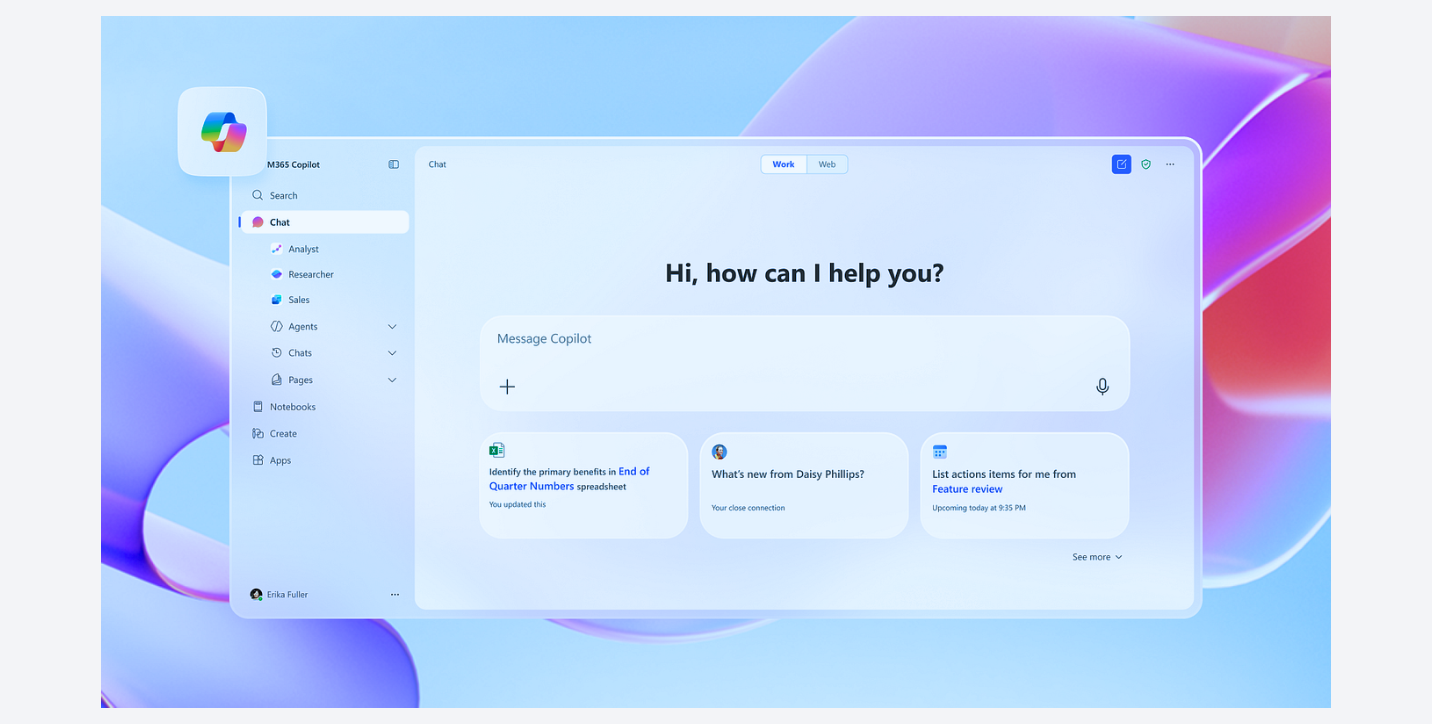
At its core, Copilot Tasks is an AI feature designed to complete multi-step tasks on your behalf — quietly and autonomously — based on simple natural-language instructions. Rather than requiring you to manually switch between apps, click through menus, or repeat prompts, Copilot Tasks is built to take a job from start to finish without constant supervision.
This marks a fundamental shift in how AI assistants function:
? From chat to action: Instead of only answering questions, Copilot Tasks can plan, navigate, execute, and report back on complex tasks.
? Own compute environment: Tasks runs in its own cloud-hosted computer and browser — separate from your local device — allowing it to perform actions in the background.
? Cross-service orchestration: It can coordinate actions across apps and services you authorize (Outlook, Word, calendar, web pages, connectors) to achieve the desired results.
? User control maintained: Even though Tasks can act autonomously, it requires your approval before performing meaningful actions like sending messages or initiating payments.
In other words, Copilot Tasks turns instructions like “organize this week’s meetings, prepare draft replies, and book travel accommodations” into a sequence of steps executed on your behalf — all while you continue with other work.
Why Copilot Tasks Is a Big Deal
1. Comes at a Tipping Point in AI Productivity Tools
Over the last few years, Microsoft has aggressively integrated AI into its products. The original Microsoft 365 Copilot already offered powerful productivity enhancements, such as auto-drafting documents, generating insights in Excel, and summarizing meetings. However, these were typically interactive — you needed to talk to Copilot and wait for responses.
Copilot Tasks builds on that foundation by letting AI work independently on open-ended goals. It’s the evolution from AI assistants that reply to AI assistants that do. This shift resembles movements in the broader AI industry (e.g., autonomous agents from competitors like OpenAI’s Operator), but Microsoft’s implementation emphasizes deep integration with its ecosystem and enterprise workflows.
2. It’s Not Just Automation — It’s Intelligent Automation
Traditional task automation (like macros, scripts, or robotic process automation) often requires detailed instructions, manual set-up, and technical expertise. With Copilot Tasks, the only thing you need to provide is a natural-language description of what you want done — and the system translates that into a plan it can act upon.
For example:
-
“Turn this list of assignments into a study schedule with practice sessions.”
-
“Monitor rental listings every Friday and book viewings that match my criteria.”
-
“Summarize my most urgent emails each evening with draft replies ready.”
-
“Compare travel prices and book flights with best deals.”
Tasks can break down goals like these into discrete steps, sequence them appropriately, and carry them out without needing manual clicks at every stage.
How Copilot Tasks Works — Behind the Scenes
While Microsoft hasn’t published full technical documentation yet, early reports and previews reveal an interesting architecture that powers Copilot Tasks:
1. Natural-Language Input
Users start by telling Copilot what they want — in plain everyday language. They don’t need to know technical commands or scripting syntax. The system interprets the goal.
2. Plan Creation
Once the goal is clear, Copilot Tasks will generate a plan: a sequence of tentative steps needed to accomplish the task. This plan can be reviewed and refined by the user before execution.
3. Controlled Execution Environment
After approval, tasks run inside a dedicated environment — often described as a cloud-hosted computer with its own browser instance. This sandboxed environment allows Copilot to interact with websites and services securely without burdening the user’s device.
4. Connectors and App Orchestration
Copilot Tasks uses connectors — similar to Microsoft 365 connectors — to access different apps and services (calendar, email, files, etc.) once the user authorizes access. This enables actions like drafting documents, scheduling, navigating webpages, or retrieving information.
5. Reporting and Control
Copilot doesn’t simply act silently. It reports progress, asks for clarifications when needed, and asks for your consent before executing actions that have real consequences (like sending emails or booking reservations).
This combination of autonomous execution, controlled environment, and user supervision strikes a balance between automation and safety.
Everyday Use Cases — What Copilot Tasks Can Do
Let’s walk through some representative scenarios where Copilot Tasks could shine:
1. Inbox Management (Personal & Work)
Instead of manually sorting emails, marking promotions, composing replies, and unsubscribing from lists, you could simply ask Copilot to clean your inbox nightly, highlight urgent threads, and draft replies for your review.
2. Scheduling & Event Planning
Tasks can schedule recurring appointments, find available meeting times with colleagues, and even make reservations — all by interpreting your natural-language instructions.
3. Document Generation
Imagine telling Copilot: “Take these notes, create a slide deck with visuals, and include a summary page.” Copilot Tasks could handle everything from drafting the content, formatting it properly, and saving it to your preferred location.
4. Study & Personal Goals
Students could ask Copilot to convert a syllabus into a structured study plan with practice tests and blocked focus sessions — saving hours of planning time.
5. Monitoring & Alerts
Tasks could watch price changes for flights, hotel rooms, or stocks and notify you or even rebook when thresholds are met.
6. Travel & Logistics
Instead of manually researching flight options and then organizing hotel bookings, Copilot Tasks could handle the entire “trip planning” workflow, coordinating across different provider websites.
Benefits of Copilot Tasks
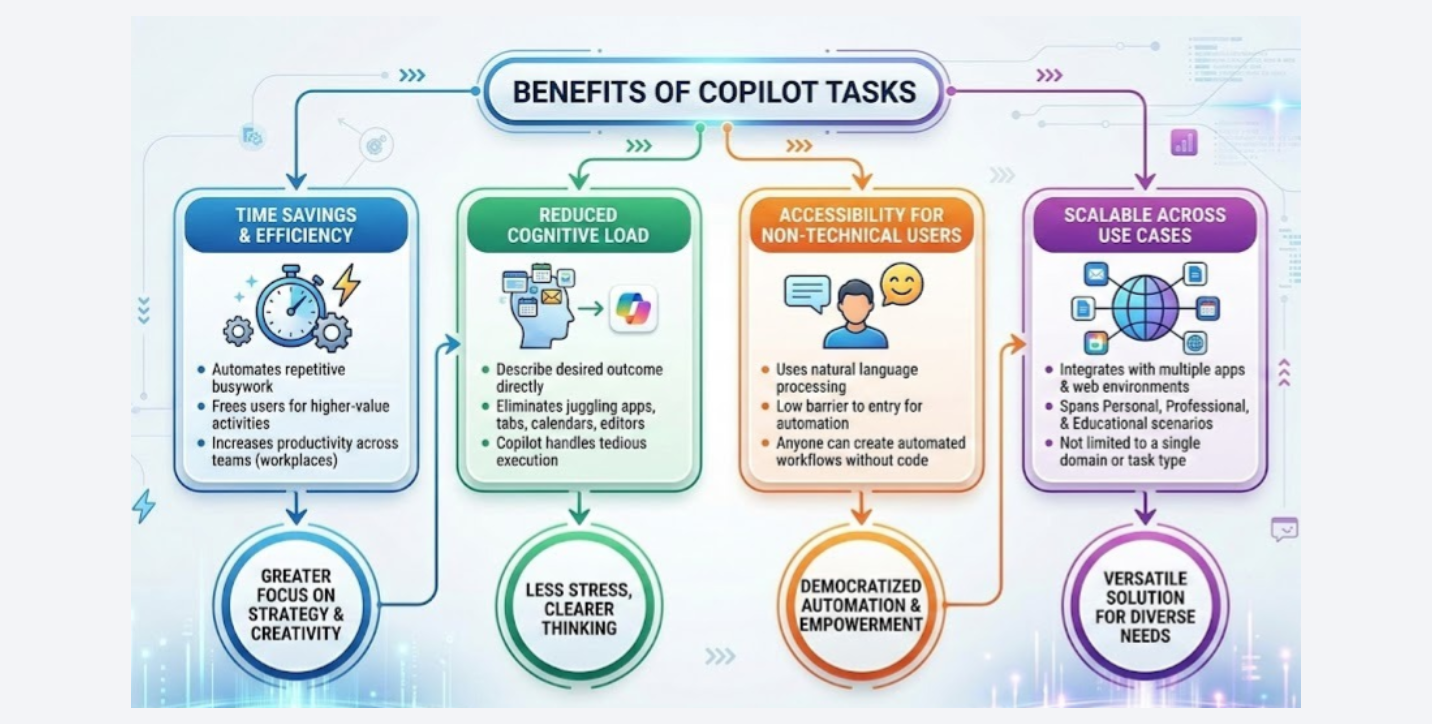
1. Time Savings and Efficiency
By handling repetitive busywork, Copilot Tasks frees users to focus on higher-value activities. In workplaces, this could dramatically increase productivity across teams.
2. Reduced Cognitive Load
Instead of juggling countless apps, tabs, calendars, and document editors, users only need to describe the outcome they want. Once Copilot understands the goal, the tedious execution ceases to be their problem.
3. Accessibility for Non-Technical Users
Traditional automation often requires technical expertise or dedicated tools. Copilot Tasks lowers the barrier by letting anyone use natural language to automate workflows.
4. Scalable Across Use Cases
Because it integrates with multiple apps and web environments, Copilot Tasks isn’t limited to one domain (e.g., just email or just calendar). It spans personal, professional, and educational scenarios.
Challenges and Considerations
Despite its promise, Copilot Tasks raises several practical and ethical questions:
1. Privacy and Security
Giving an AI assistant access to emails, calendars, and web accounts inevitably raises privacy concerns. Users will need clear consent mechanisms and transparency about what data Copilot uses and how.
2. Error Handling and Trust
AI isn’t perfect, and erroneous actions (like wrong bookings or incorrect recipients) could have real consequences. That’s why Microsoft emphasizes keeping the user in control and requiring approval before material actions are executed.
3. Integration Limitations
Full integration across every third-party service isn’t guaranteed; the scope of automation may be limited by connector availability and external APIs.
4. Learning Curve
Though Copilot is designed for ease, users will still need to learn how to frame tasks effectively and understand when to trust autonomous decisions.
Copilot Tasks vs. Other AI Agents
Copilot Tasks isn’t alone in the emerging landscape of autonomous AI agents. Competitors like OpenAI’s Operator or Anthropic’s browser-capable agent also focus on letting AI use a browser to accomplish tasks on behalf of users.
What sets Copilot Tasks apart is:
-
Deep Microsoft ecosystem integration — access to Microsoft 365 apps and connectors.
-
Dedicated compute and controlled execution sandbox for reliability.
-
User consent and transparency mechanisms before meaningful actions.
In enterprise environments, this could make Copilot Tasks more suitable for business workflows than agentic tools that operate primarily in a browser tab.
What’s Next for Copilot and Task Automation?
Microsoft’s introduction of Copilot Tasks is just the beginning. The company has hinted at expanding agentic capabilities across the Microsoft ecosystem — from Windows and Edge to Teams and beyond — enabling workflows that span multiple contexts and applications.
In the broader AI industry, the focus is shifting from tools that simply respond to tools that perform. As AI gets smarter, safer, and more deeply integrated, we’re likely to see:
-
More scheduling and automation built into operating systems
-
Workflow AI that pre-anticipates not just executes
-
Cross-platform agents that coordinate tasks spanning cloud, mobile, and desktop
-
AI assistants personalized to individual work habits
Copilot Tasks — and tools like it — are early indicators of a world where your AI companion doesn’t just help think — it helps do. This transformation has implications ranging from productivity gains to shifts in job roles, creativity workflows, and digital collaboration.
Conclusion
Copilot Tasks represents a pivotal evolution in AI productivity tools: a movement away from traditional conversational AI toward truly action-oriented agents capable of executing workflows autonomously on behalf of users.
By combining natural-language instructions, cloud-based execution, service connectors, and iterative control, Microsoft’s approach not only saves time but also opens new possibilities for automation across personal, professional, and educational use cases. While challenges around privacy, reliability, and integration remain, Copilot Tasks signals a future where AI works with us — not just for us.
AI assistants are no longer just answering questions; they are becoming partners in getting real work done.

 Travel
  Studies
  Food
Food  Fashion
  Technology
  Health




All Comments (0)